Maintaining Forest Disturbance - Radar Product
Forest Disturbance, computed using Radar Sentinel 2 images generates two products that are enlisted in the system. They include both the Forest Disturbance and Forest Surveilance Products. Both of these products are computed using the same methodology and scripts, however, for forest disturbance, the product is computed on the fly, and the products are visualised to te user through the system. The Forest Surveilance, just as the name suggests, is subscribed for in the system, and the user automatically receives alerts and notification. These notifications are considered when there is a forest disturbance which is more than 0.5 hectares.
Maintenace of these products is different in django admin, as there is no raster to be uploaded in the system. However, there are some aspect to maintain for a succeful TroFMIS functionality.
Forest Alerts - Scheduled tasks
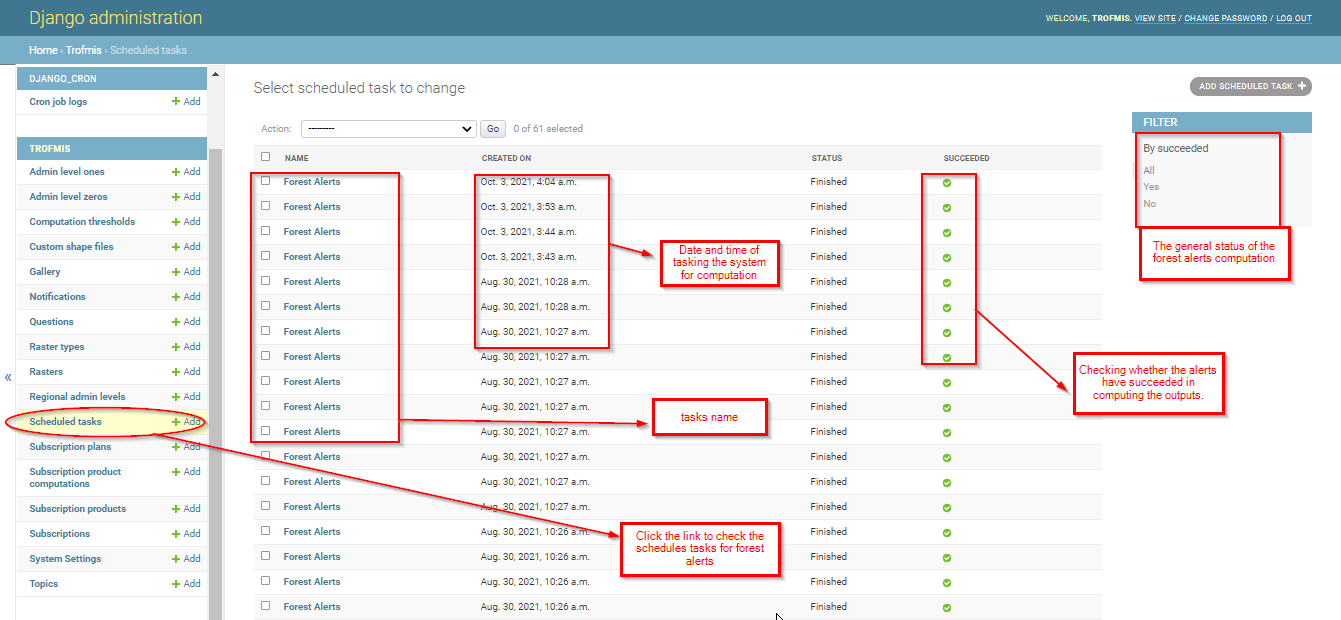
This section outlines all the running tasks for forest alerts, that the users have tasked the system to compute. They will be listed as illustrated in the django admin below.
Forest Alerts - Subscription Plan
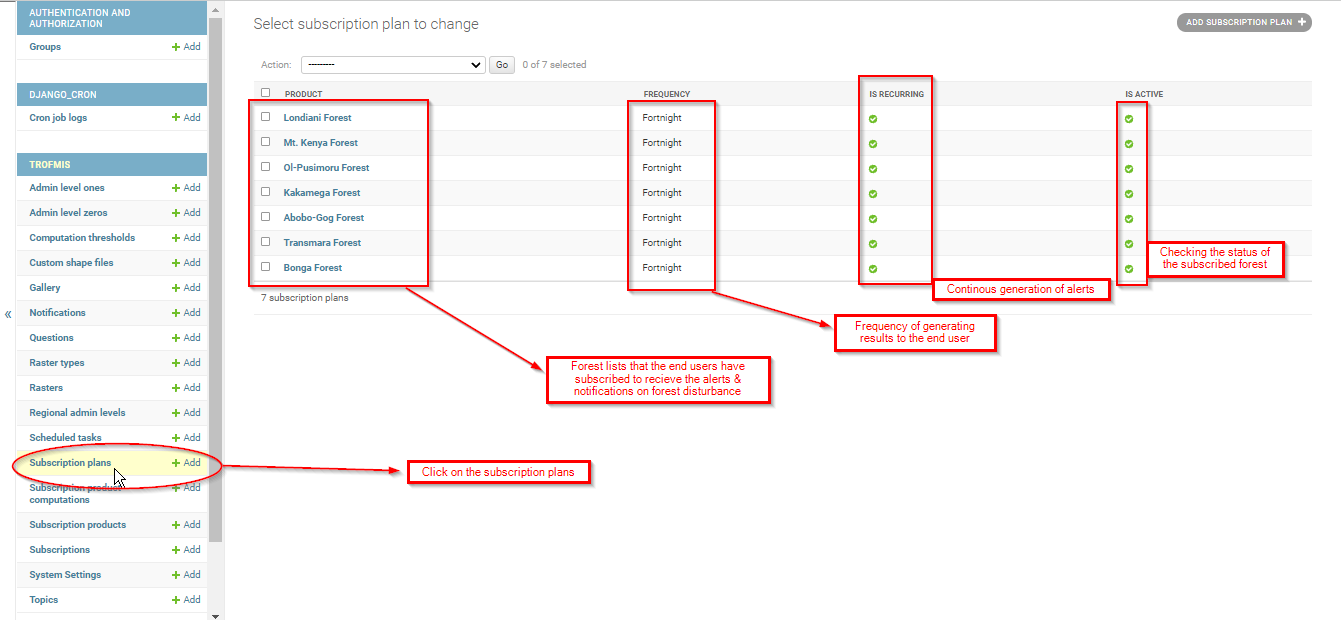
This section lists all the forest that have been suscribed by the users, and are either active or inactive. It also lists the plans that are available, including the period of computation of the alerts as illustrated below.
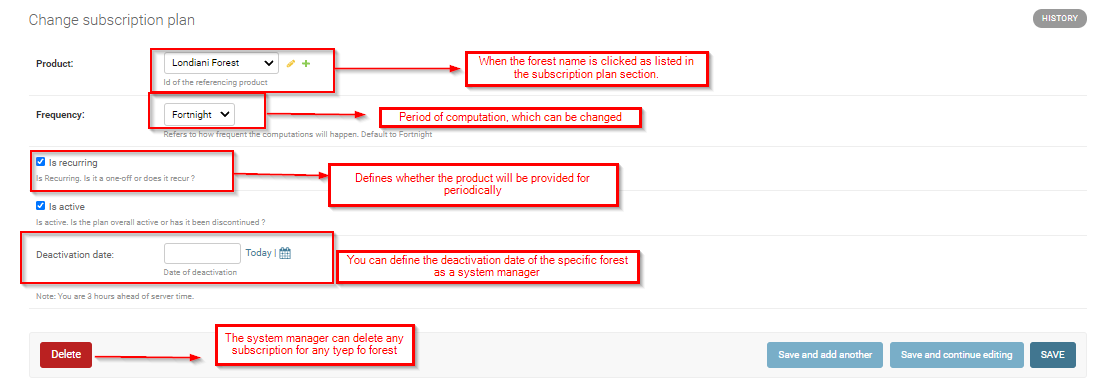
When any of the listed files is accessed through clicking, the system gives the manager more functionality to manage specific forests of interest. See the illustration below.
Forest Alerts Subscribers
To access the subscribers list and their contact email, click on the subscription or the users link in django admin.
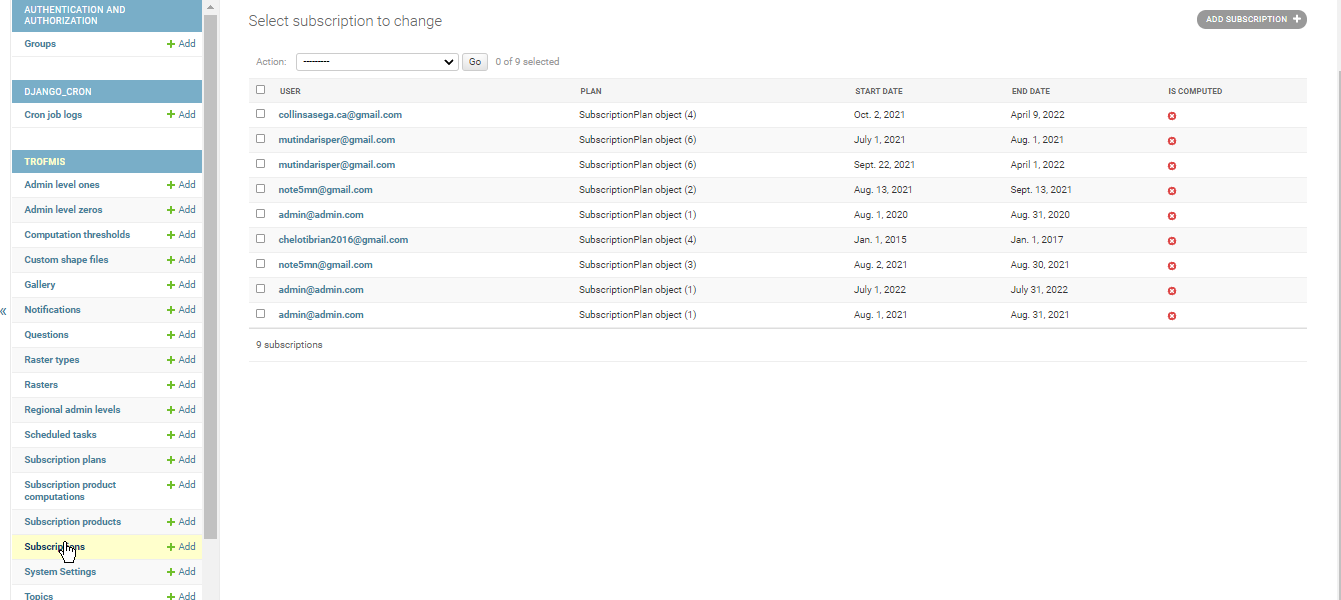
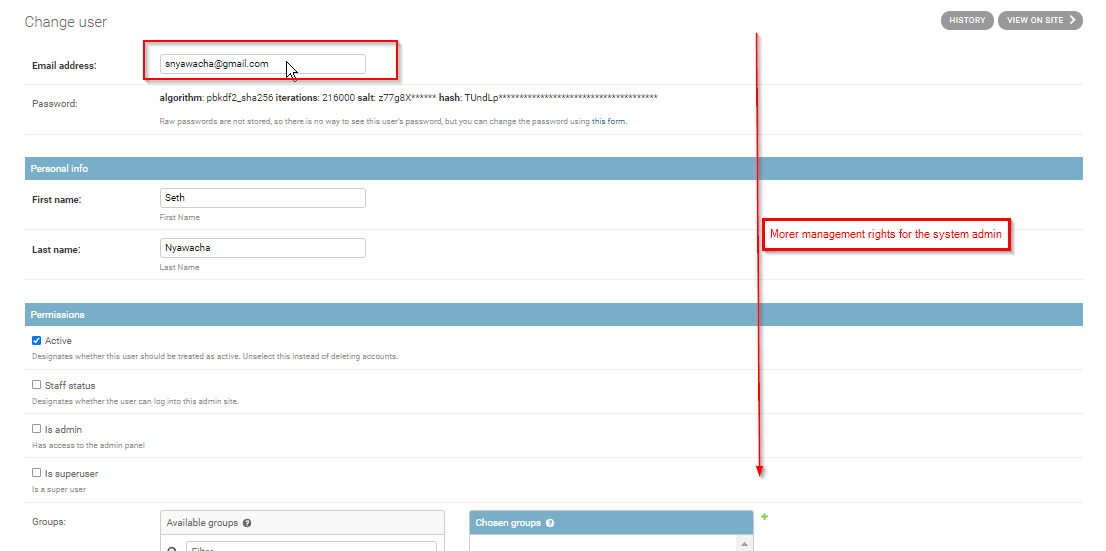
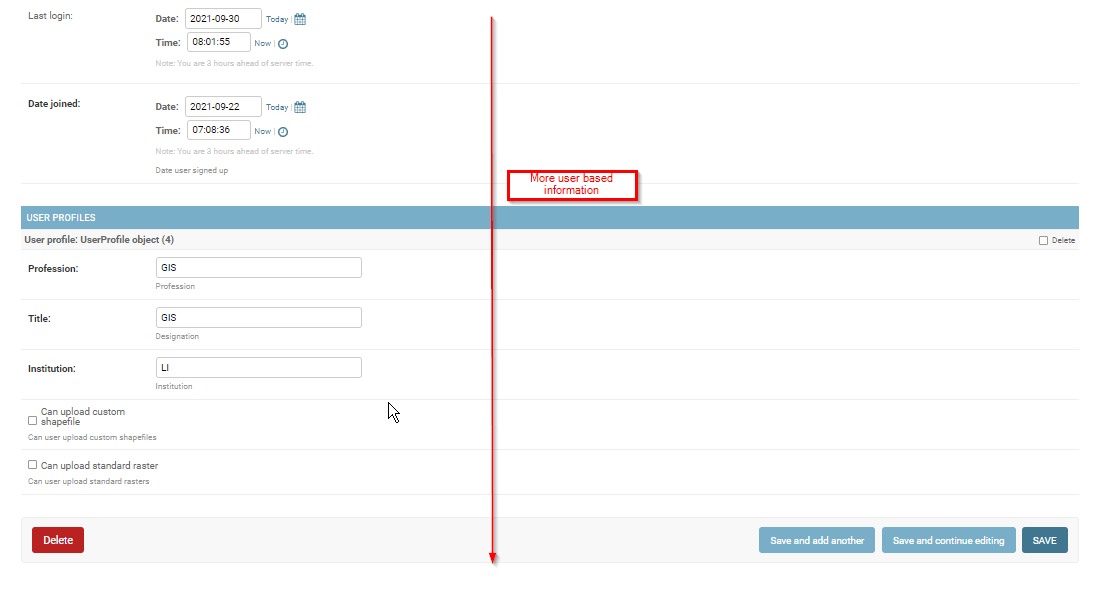
The emails, when accessed further, gives more detail on the system user, and can be used to provide more priviledges to specific users, including the rights to upload custom shapefile. This accessed panel, shows other information including the date of TroFMIS account creation.